Webinar attendees have to login to zoom using one of the following methods:
To log in to the Zoom website:
- Go to the Cal State LA Zoom (https://calstatela.zoom.us/) website.
- Click Sign In in the upper-right corner of the page.
- Log in with your MyCalStateLA ID account.
To log in to the Zoom desktop app:
- Open the Zoom app on your device.
- Click Sign In, and then click Sign In with SSO.
- Enter calstatela as the company domain, and then click Continue.
- Log in with your MyCalStateLA ID account.
- If prompted, click to open Zoom Meetings.
To log in to the Zoom mobile app:
- Open the Zoom app on your mobile device.
- Tap Sign In, and then tap SSO.
- Enter calstatela as the company domain, and then tap Go or Continue.
- Log in with your MyCalStateLA ID account.
- If prompted, tap Open to open the Zoom app.
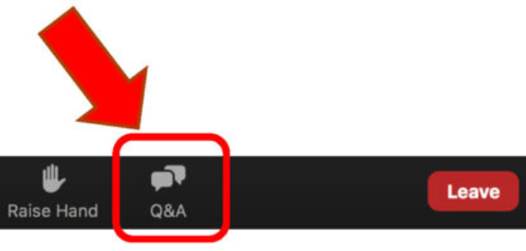
For the Q&A portion:
Chat will be disabled. To ask questions, click on the Q&A icon: