Maxient – is it spam?
Maxient is a a secure, web-based case management application used by Residence Life for submitting and tracking incident reports related to concerning or threatening behavior, sexual misconduct/harassment, or any general incidents that involve a Housing resident.
If you are suspected of alleged misconduct, or are otherwise involved in a potential incident, you may receive an email from “notifications[at]maxient.com.” The email will show the sender as a Cal State LA staff member, with their name followed by “(via Maxient).”
Who Manages Maxient?
Maxient is managed by Residence Life.
Who Submits Incident Reports?
Anyone within the Cal State LA community (students, staff, and faculty members) can file an incident report about an alleged student misconduct or student concern on campus. In Housing, Housing Staff submit Incident Reports.
All reports get reviewed by university staff members within Housing & Residence Life and/or Office of Student Rights, Responsibilities & Resolutions. Someone within Residence Life, the Office of Student Rights, Responsibilities & Resolutions, and/or the Dean of Students Office may follow up.
What Does it Look Like?
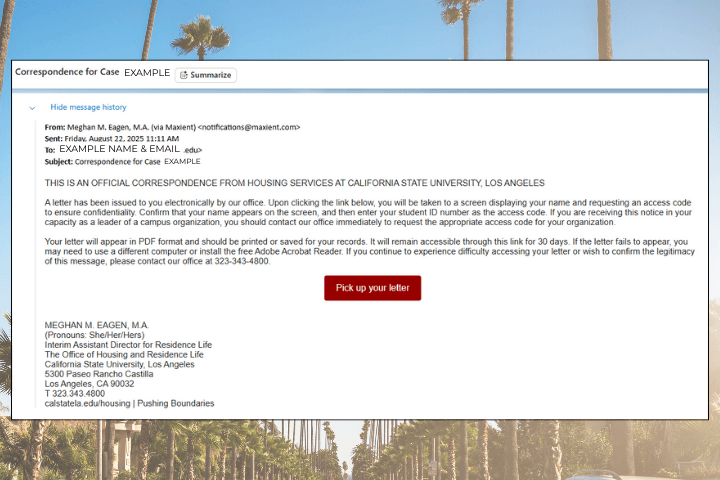
Subject Lines
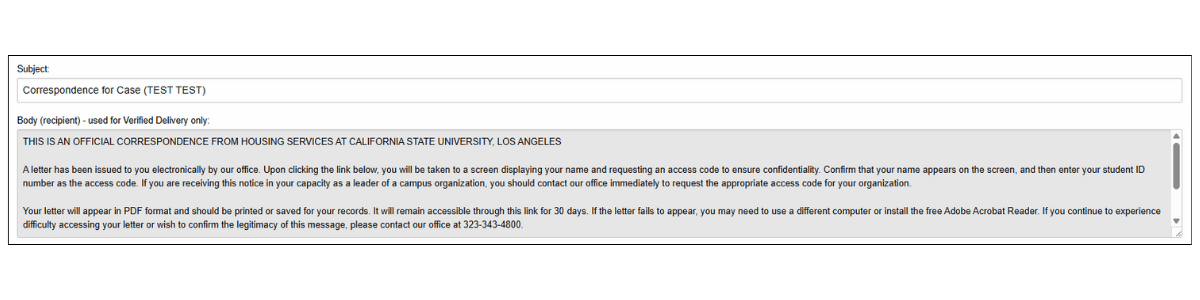
Look for subject lines such as: Correspondence for Case (YOUR NAME).
It will be from a sender (via Maxient) <[email protected]>
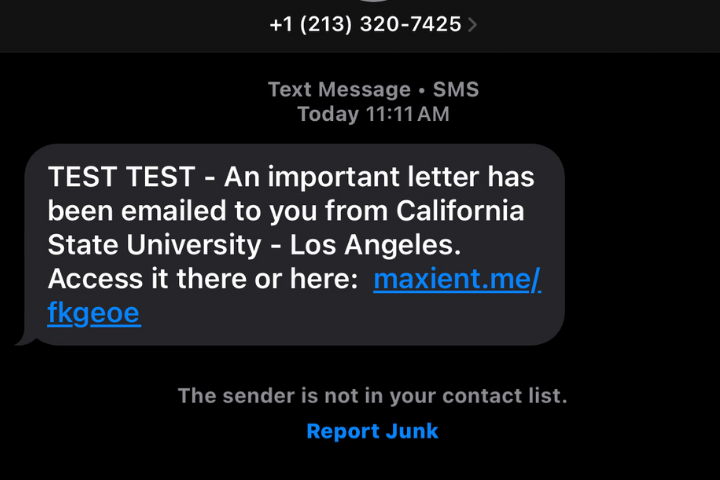
Text Message
You may receive a text message from a 213 number. We promise, it’s not spam, and the link is safe to use.
How do I access my letter?
To access your letter, click the link that was sent to you via email and / or text message:

A screen will open with your name and a text box to input your Campus ID Number (CIN). Once you enter your ID, you will be able to access a PDF of the document(s) being sent to you. Download, print or save a copy for your records.
If you have difficulty accessing your letter in Maxient, or want to confirm the legitimacy of the email, contact us at [email protected].