
We welcome you to Cal State LA and look forward to having you move in!
Before you move in...
Spring 2026 Housing fees are posted and payments need to be made prior to Move-In. All students moving in will not be permitted to move in without making a payment in full, or setting up a Payment Plan and making the first payment, by:
January 15, 2026
If you are unable to pay your fees in full by the due date above, consider setting up a payment plan and divide your payments into equal parts.
Need help setting up your payment plan? Our team is available online or in person to assist you with the process! Just email us or give us a call.
All Housing fees that have been posted on your
Check out our step-by-step instruction on how to pay your Housing fees online here.
Financial Aid Distribution
Please visit the Financial Aid website for all information on disbursement dates and where to view how much you qualify for:
If you are receiving financial aid after the Housing Payment Deadline, please complete a Housing Payment Plan form before the deadline and note in the comments that you are going to receive aid. You may be charged a late fee if this is not completed on time.
Information on Housing Payment Plans
Continue to check your GET account, call Housing to inquire about your financial aid being applied to your balance, before spending!
You will need your One Card to check in on Move-In day.
For South Village residents, your One Card is your room key.
For ALL residents, your One Card is how you use your Meal Plan and declining dollars.
Step 1: Order
Visit the One Card Office website for the steps on obtaining a One Card. Upload a passport-style photo for your One Card.

Step 2: Pick up
Pick up your card at your orientation day or at the One Card Office during business hours.
The information in the link below will assist you in transitioning into our Housing community. We recommend you review the following:
License Agreement and Housing Handbook
All important information is sent to your Cal State LA email, so please check that frequently.
Have a Consent and Authorization for Medical Treatment form completed by a parent or guardian, found under "Forms" in your Housing Portal.
Purchase a Residential Parking Permit online. See
Parking & Transportation’s Housing Resident Parking Page for parking policies and regulations.
Download the Move-In Checklist for a complete list of what to bring. You can also visit our What to Bring webpage.
| Date | Time | Note |
|---|---|---|
| January 16, 2026 | Each resident is assigned a check-in appointment between 9:30 a.m. and 3:30 p.m. | You can view your appointment time on the Housing Portal once it’s available. Be sure to stick to your move-in window to help reduce crowding. We will not accept any after hours check-ins. |
What to expect: Move-In Day
Check out some of the basics of what you can expect on your Move-In day. We will send more detailed information to your Cal State LA email as we get closer, so please check your email frequently.
Move-In Map

Before you arrive, make sure you see an "Approved to Check-in" button in your Housing Portal. If you see a "Not Approved to Move-In" button, that means you need to make your payment.

Make sure to have ready...
- Your One Card ready.
- Your Housing Portal homepage open on your phone with your QR code.
When you arrive
- Move-In begins at the start of the Housing Loop (see map above). There will be Housing Staff there who will tell you where to park. Please bring your One Card and have your Housing Portal homepage open with your QR code, this is what we will use at check-in.
- We will hand you your Unloading Zone Permit and your room assignment. We will tell you which zone to park in.
- You will check-in at either the Phase II Office for all Apartment residents moving in, or the South Village Office.
Know your appointment time! This is when you are scheduled to arrived to check in for move-in.
To view your appointment time,
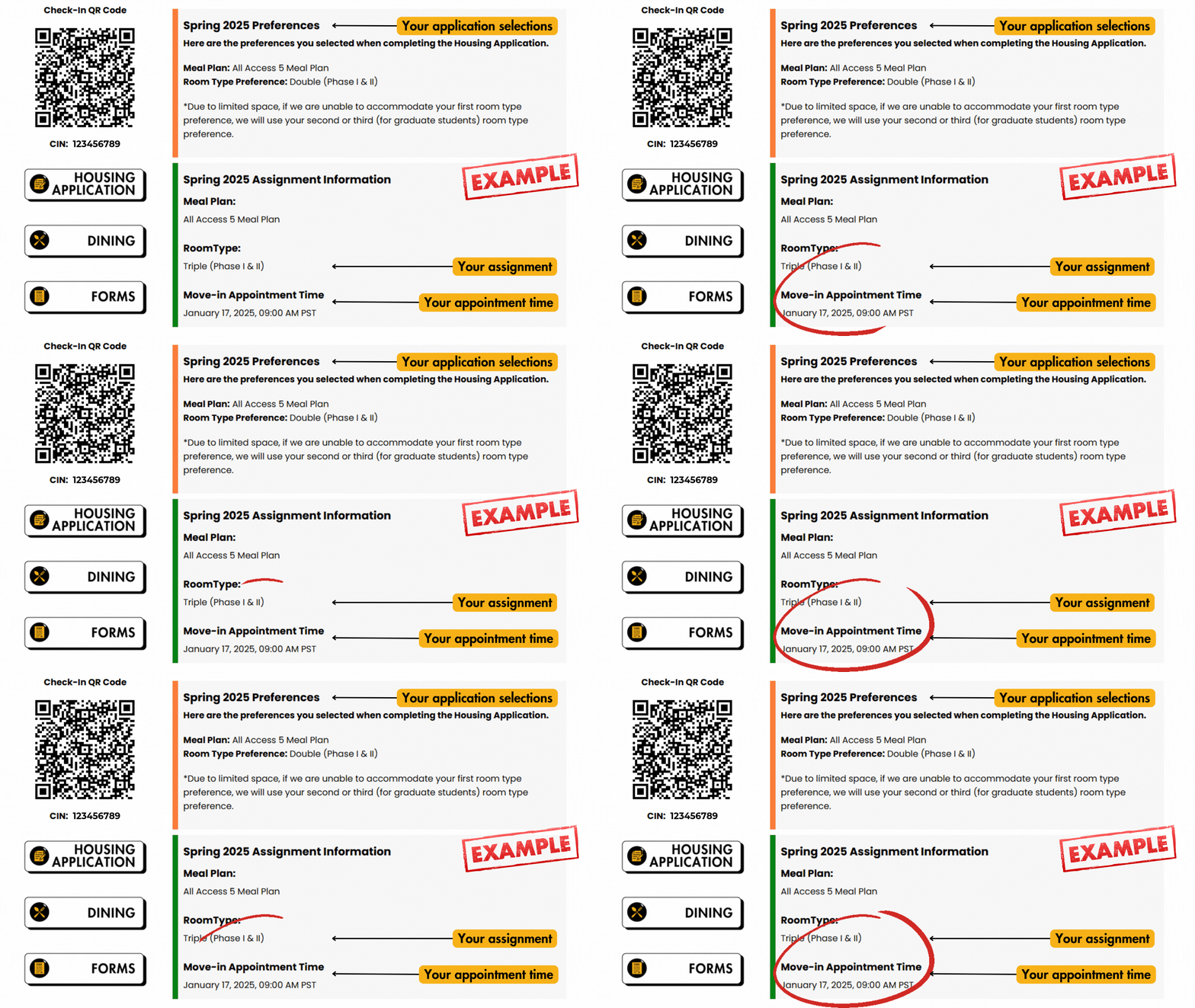
View the image above for an example of what you will see in your Housing Portal. Please note, this is an example only, not your assignment.
If your appointment time does not work for you, you may reschedule to a new time through the Housing Portal.
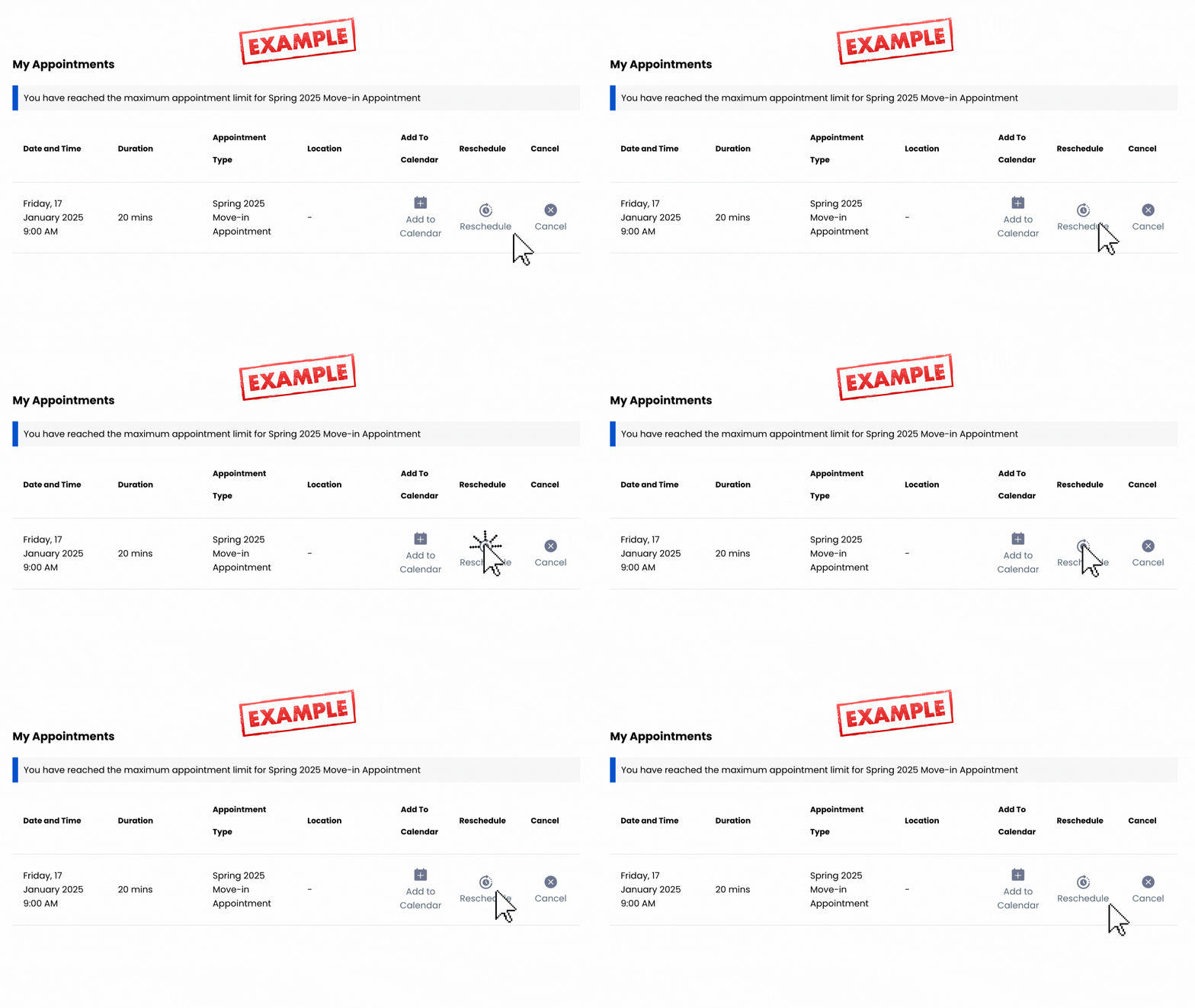
How to Reschedule Your Move-in Appointment Time
Step 1: Select the “Reschedule Appointment” button, located underneath your Appointment Time.

Step 2: Select “Reschedule” on the following page.
Step 3: Pick a new date and time that is listed as available. Please note, there may be limited time slots available.
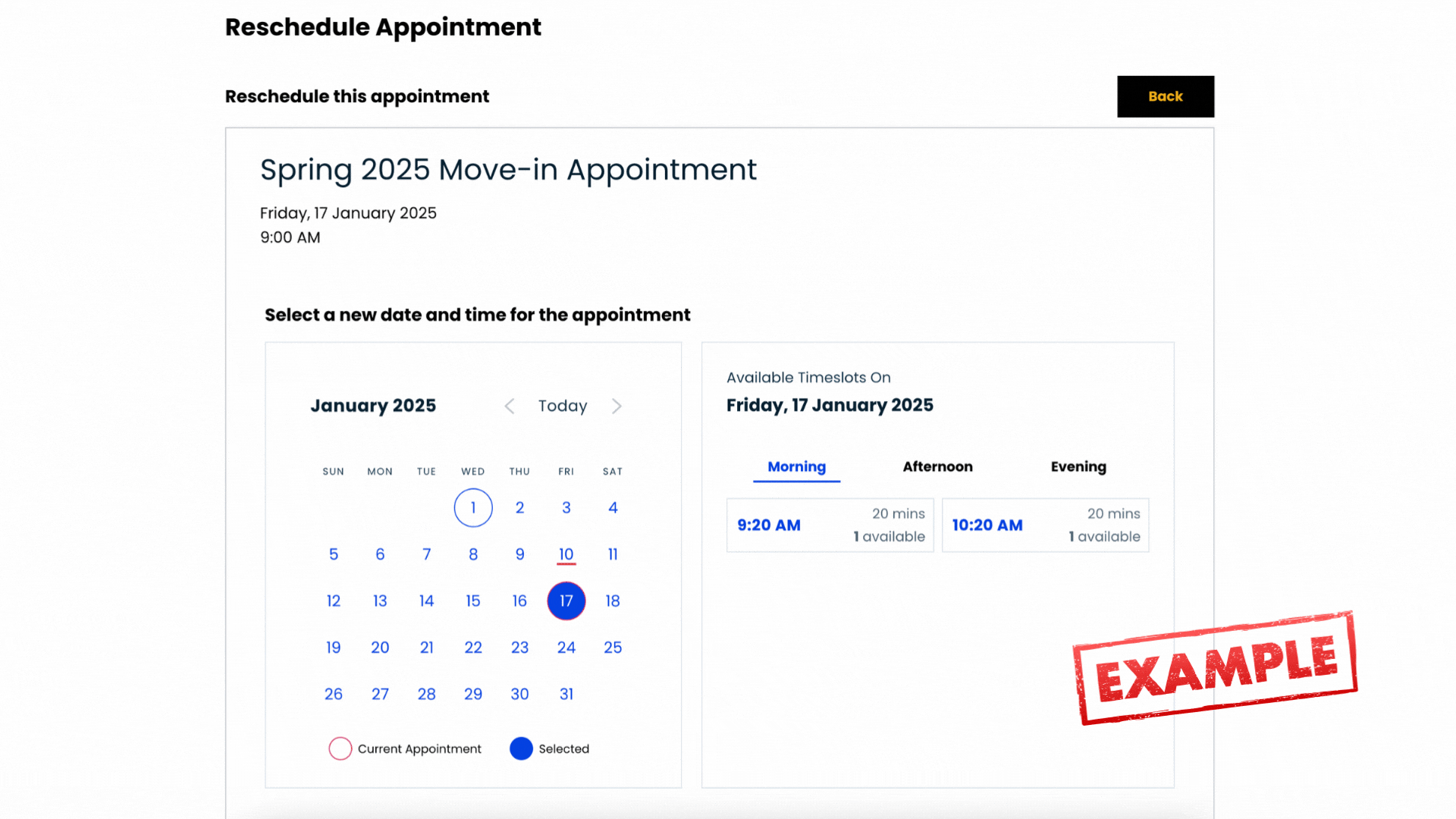
Step 4: Hit “Confirm” to officially change your Appointment Time. You’ll receive a confirmation email immediately afterwards.
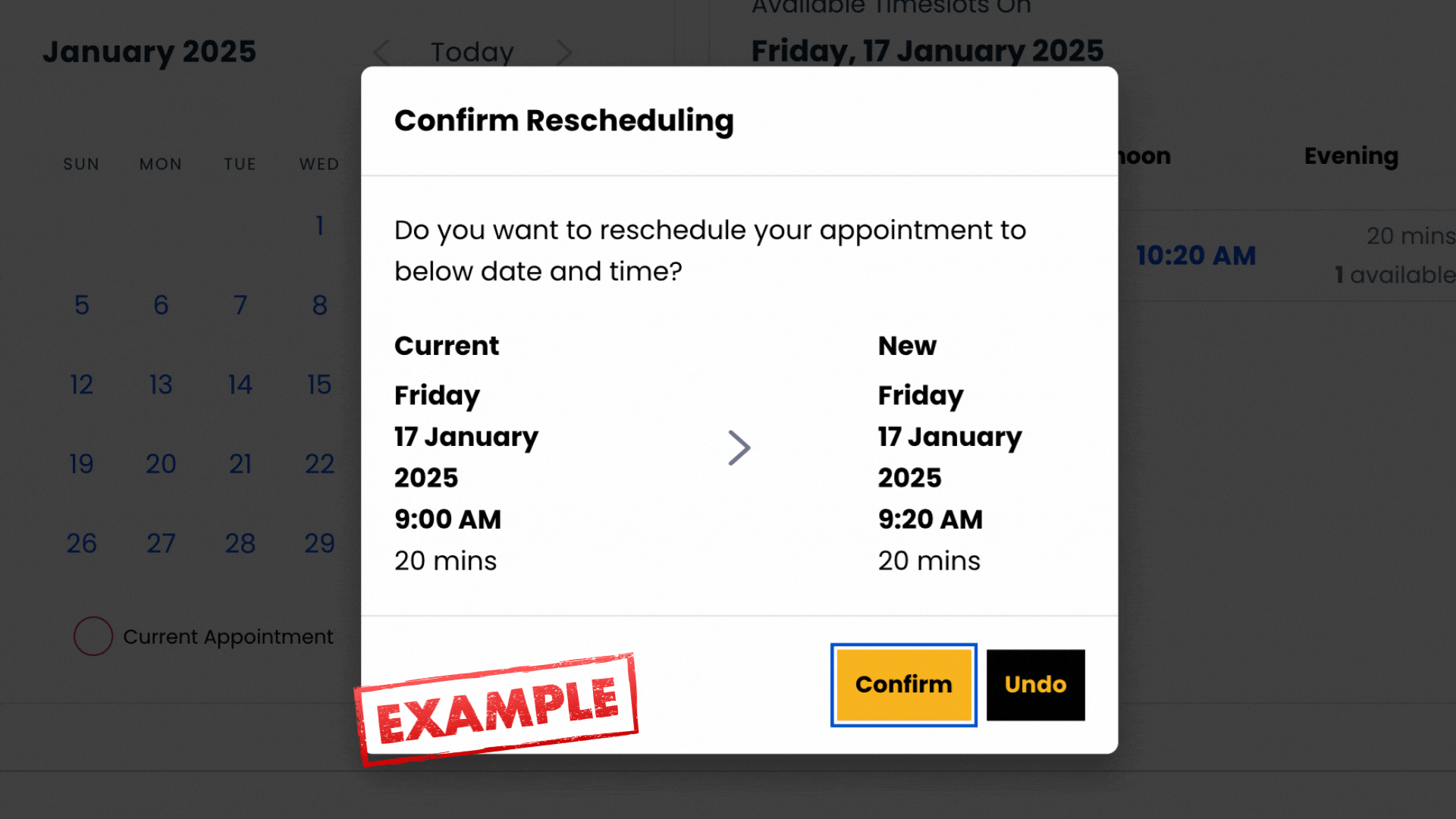
That’s it!
You will receive an Unloading Zone permit at the Welcome Station at the beginning of the Housing Loop. Place this on the dashboard of your vehicle. If you have more than one vehicle, please let our team know and we can give you an additional permit.
20-Minute Time Limit
This permit is valid in your assigned Unloading Zone for 20 minutes only. Our staff will write in the time at a check-in station closer to your zone. Please note, parking attendants will be on site and you may be cited should you exceed the 20-minute time limit.
Do not leave your vehicle unattended.
We will have carts on site available to check out for 30 minutes. See map for locations.
Once your items are unloaded, please park in Lot 5.
Please be sure to pay for parking: https://www.calstatela.edu/parking/parking-permits
All rideshares can drop-off residents in the loop next to the soccer field (see map).
Move-In FAQs

Yes. We recommend you bring a portable cart or dolly to assist you as carts are limited.
No, large vehicles are not allowed in the Housing Loop.
All beds in Housing are Twin XL.
Yes, but coordinate with your roommate(s) in case they are planning to bring one as well.
South Village
Yes, but only one that is 4 cubic feet (or smaller) per room is allowed. Please coordinate with your roommate(s).
Apartments
No, a refrigerator with a freezer is provided in each apartment. Residents living in apartments are not permitted to bring a mini-fridge.
You will receive your room assignment and assigned roommate(s) when you move in.
We will not be accepting after-hours check-ins.
Visit our Housing FAQ page for all general Housing information:
Visit our What to Bring page for all information regarding what you can bring when moving in: