

What is Phishing?
social media safety
Email Scams: Recognizing them

Over time, phishing attempts have become more sophisticated with increased quality of imitating a genuine email. Be aware of these warning signs:
- The message is unsolicited and asks you to update, confirm, or reveal personal identity information (e.g., SSN, account numbers, passwords, protected health information).
- The message creates a sense of urgency.
- The message has an unusual “From” address or an unusual “Reply-To” address.
- The (malicious) website URL doesn’t match the name of the institution that it allegedly represents.
- The message is not personalized. Valid messages from banks and other legitimate sources usually refer to you by name.
- The message contains grammatical errors.
Types of E-mail Spam and Phishing
Phishing is the term for messages sent to individuals via e-mail or text message with the intent to fool unsuspecting recipients into providing personal information, such as user names, passwords and financial account information. They often employ social engineering tactics by creating messages that appear to be legitimate. These messages can also lure individuals to malware-hosting websites.
Spear phishing differs from phishing in that it targets a specific department, division or college, seeking unauthorized access to protected information. These messages allegedly come from IT support staff or other professionals in a position of authority from within the targeted department, division or college. As with phishing, these e-mails will attempt to trick users into divulging personal or financial information, or their credentials, or entice them into clicking on a link that could install malware on the computer.
E-mail spam are messages sent to many people, often simultaneously, that either contain web links to Internet websites that host malware or contain executable malware within the message designed to infect the computer when opened. These messages are also called junk e-mail.
Spoofing aims to trick users into taking actions that that aren’t in their best interest. For example, users might be tricked into believing false information or divulging confidential information, access authorization information, passwords, and other information. Spoofing can mean:
- Impersonating a person, organization, agency or server without permission.
- Faking the origin. The messages were allegedly sent from the administrators, but they were actually from intruders trying to steal accounts.
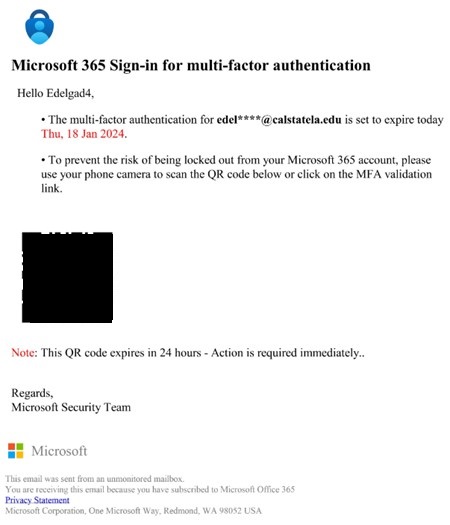
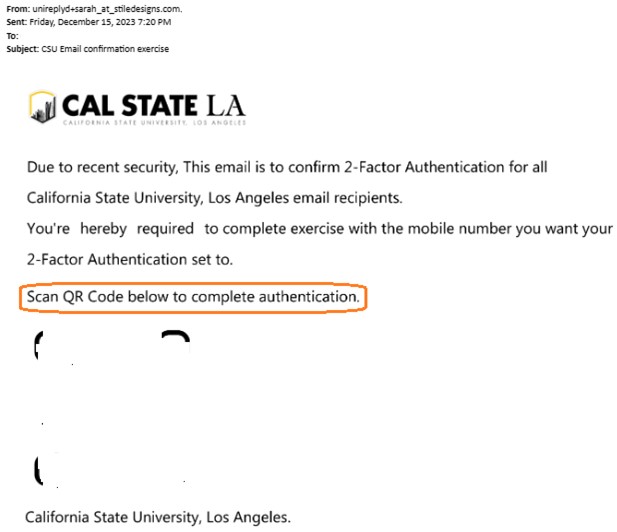
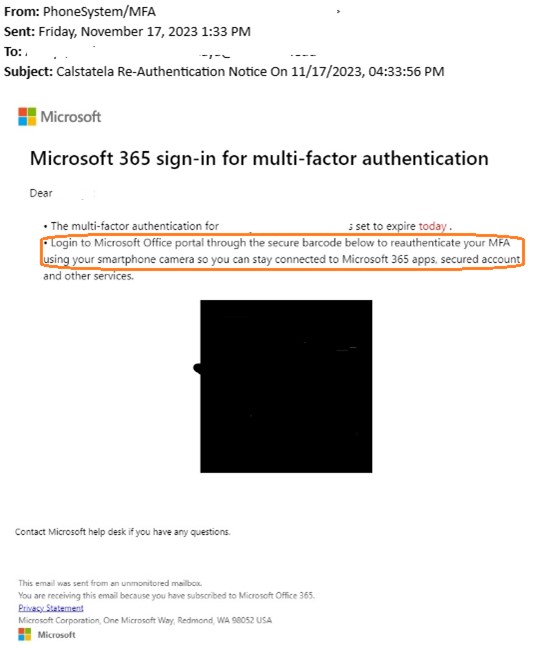
Quishing, also known as QR code phishing, involves tricking someone into scanning a QR code using a mobile phone. The QR code then takes the user to a fraudulent website that might download malware or ask for sensitive information.
Phishing Examples
Open to view common examples of phishing and spam emails.
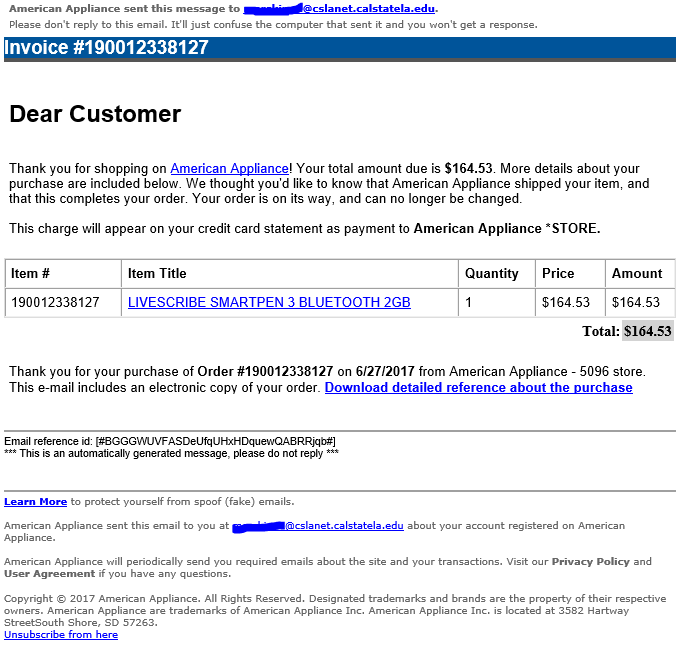
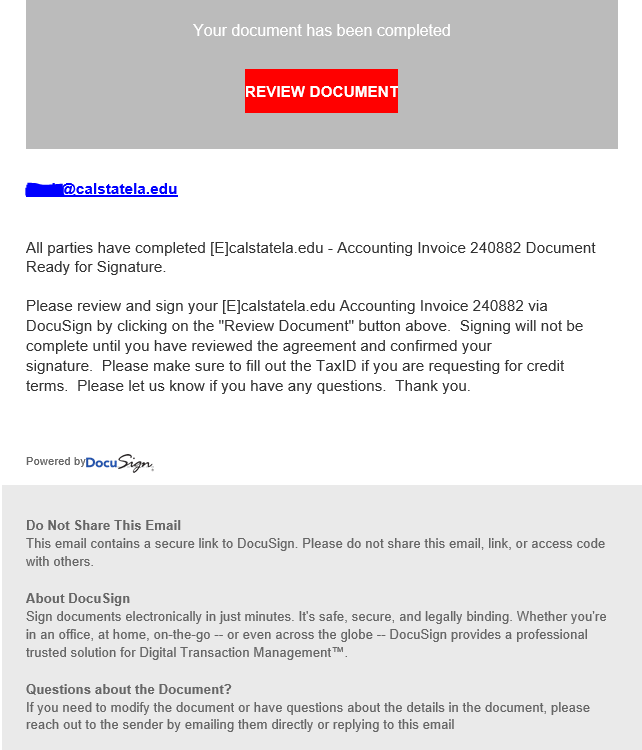
Phishing emails may contain financial information that will make a victim react and fall for the phishing attack.
Business email compromise scam
You receive an email from a vendor requesting you to send money to a different account. The email looks genuine, but it could be from a fraudster who got access to your vendor’s network
To: Recipient
Subject: Amazon.com - Your Cancellation (XXX-XXX-XXXX)
Dear Customer,
Your order has been successfully canceled. For your reference, here's a summary of your order:
You just canceled order XXX-XXX-XXXX placed on June 21, 2017.
Status: CANCELED
Thank you for visiting Amazon.com!
To: Recipient
Subject: Parking ticket #987111363
You received a parking ticket!
26-141 - Parking of motor car or otherwise obstructing fire lanes shall be forbidden at all times
TrialLaw Court appearance required
Parking ticket number information: PTD987111154
Parking fine
To pay your parking ticket, download your fine and choose one of 2 convenient ways:
1. Online
Pay online by Visa or Mastercard, $2 processing fee.
2. By phone (automated system)
Pay by Visa or Mastercard at XXX-XXX-XXXX
Best wishes,
Police Department.
Bank impersonation
You’re contacted by someone claiming to be from one of the financial institutions, regarding fraudulent activity on your account and asking you to transfer money from your account or send a payment somewhere else. When in doubt, end all communication with the scammer and call the number listed on the back of your debit or credit card.
Phishing emails may contain messages and links to make you reset your account so they can steal your username and password in a fake website that seems related to a well known website.

| Reconfirm your calstatela Password |
|---|
You are required to reconfirm your password on ma*****@calstatela.edu as of 2018/07/23 05:04:42 to avoid email malfunction. You have limited time to make this corrections to avoid calstatela Violation
|
|---|
| To stop separating items that are identified as clutter, go to Options. This system notification isn't an email message and you can't reply to it. |
|---|
Your Account Will Be Blocked!
[email protected]
Your Account will Expire, Wednesday, April 12th/ 2017
If you would like to continue using your Email Address,
[email protected]
Upgrade Your Account Now
You will lose your email address if you do not upgrade your account.
Upgrade is free off charge.
Thanks.
Mail service provider ! ©2017 All Rights Reserved
Disclaimer:
This email and any attachment thereto are confidential and privileged. If you have received it in error, please delete immediately and notify the sender. Do not disclose, copy, circulate or in any way use it. The information contained therein is for the intended address(es) only, if you reply, its at your own risk. Emails are not guaranteed to be secure or error free, the message and any attachment could be intercepted, corrupted, lost, delayed, incomplete or amended. Outlook.Inc does not accept liability for any damage caused by this email or its attachment.
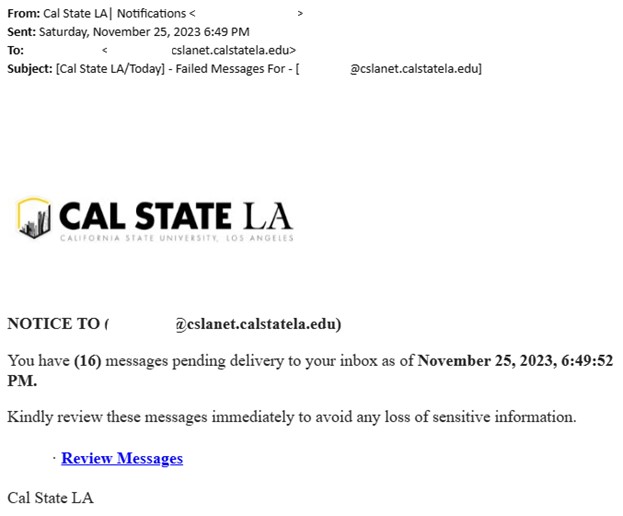
Phishing emails may contain links that prompt you to verify your account so they can steal your credentials when you enter them in.
calstatela.edu Server Congestion
Dear username,
calstatela.edu sever is holding (4) incoming messages because this your email [email protected] has not been verified. If you wish to keep using your email, kindly verify your account below.
Review & Verify your account
Note: Move this message to your inbox folder if you are having a problem with the above link.
You may not be able to access your email if ignored, this process takes few minutes only.
Thank you,
calstatela.edu Team
1. A recent change in your personal information. (eg: address, phone)
2. illegal use of your account.
Due to this, to ensure that your email service is not interrupted, we request you to confirm and update your information today by following the link below
VERIFY
Office 365! Mail Product Management2
Dear Customer, Thank you for using our verification system.
Click Here to Verify you are the true owner of this account.
NOTE: Please do not click the link more than once.
Ignorance Of this mail will lead to permanent lock.
Thanks.
Webmail copy;
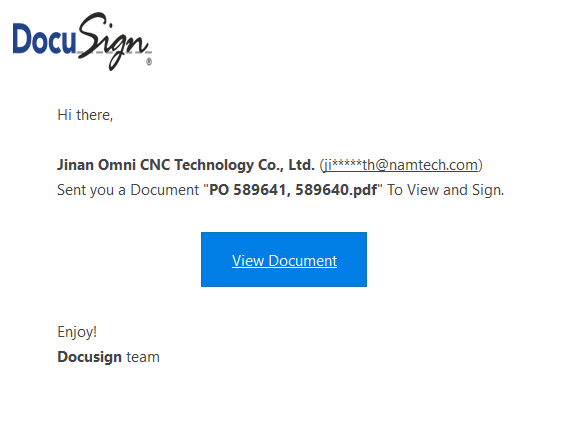
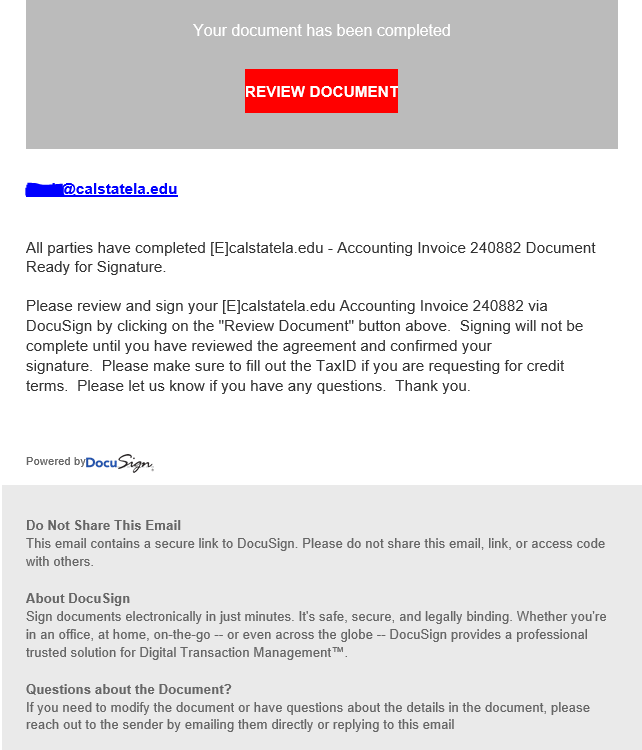
Phishing emails may contain links about documents that seem legit to make a victim click or download from a suspicious link.
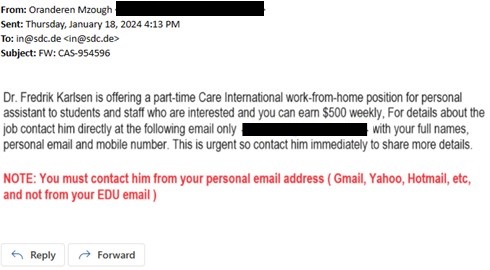
Phishing emails will advertise fake job offers to students.
Greetings,
Interested in working summer school? There is still time to apply!
We are seeking candidates to apply for a variety of classified positions for summer 2022.
Attached please find the employment opportunities flyer for the following programs:
- Summer School, TK-8, program (June 22 – July 22, 2022)
- High School Summer Term (June 22 – July 22, 2022)
For a list of sites and to apply, visit https://summer.calstatela and sign in with your CALSTATELA email and password (SSO).
Thank you!
I am a staff here at the institution, a professor of Medicine shared a link for an interested student who might be interested in a PAID PART-TIME POSITION job to make up to $650 (USD) weekly, Follow the link below for more info regarding the position -
CLICK HERE
NOTE: THIS IS STRICTLY A WORK-FROM-HOME POSITION.
Work at your convenience as a personal/assistant APPLY HERE at $550 Weekly
Phishing emails may contain false messages about packages or mail sent to the victim.
Dear Customer,
Your order has been successfully canceled. For your reference, here's a summary of your order:
You just canceled order XXX-XXX-XXXX placed on June 21, 2017.
Status: CANCELED
____________________________________________________________________
1 "Wilkes"; 2003, Second Edition
By: Jasen Patterson
Sold by: Amazon.com LLC
_____________________________________________________________________
Thank you for visiting Amazon.com!
---------------------------------------------------------------------
Amazon.com
Earth's Biggest Selection
http://www.amazon.com-XXX-XXX-XXXX
---------------------------------------------------------------------
Phishing emails may contain technical questions about your computer or your student email.

Email account
calstatela.edu Server Congestion
Dear username,
calstatela.edu sever is holding (4) incoming messages because this your email [email protected] has not been verified. If you wish to keep using your email, kindly verify your account below.
Review & Verify your account
Note: Move this message to your inbox folder if you are having a problem with the above link.
You may not be able to access your email if ignored, this process takes few minutes only.
Thank you,
calstatela.edu Team
Docusign
I shared a file with you via Docusign powered by OneDrive.
Please click Here
To view the docusign.Pdf above, Click and login using your email provider.
This is a secure file sharing platform and we protect customers from all sort of unwanted emails.
Thanks!
Your E-mail Needs Extension!!

Due to low E-mail Account quota, further incoming emails with high massage size above 10kb might be discarded until your email quota has been extended.
You have used 95% MB of 5G of your email account quota.
We advise you to Extend your account immediately, this service is completely free!
Click Here To Upgrade For Free To Extend your email account Quota Limits on mail Servers; this may cause your mailbox to be impaired or you may no longer receive emails with attachment.
Attention: Failure to do this will lead to Email Storage abuse and account termination. Once extension is complete, your email account will work effectively.
Fake website scam
You’re searching for a financial institution website on a search engine to sign in to your account but end up on a fake website. When you sign in to a fake website, scammers will steal your username and password. Always use the financial institution's website or their Mobile app to sign in.
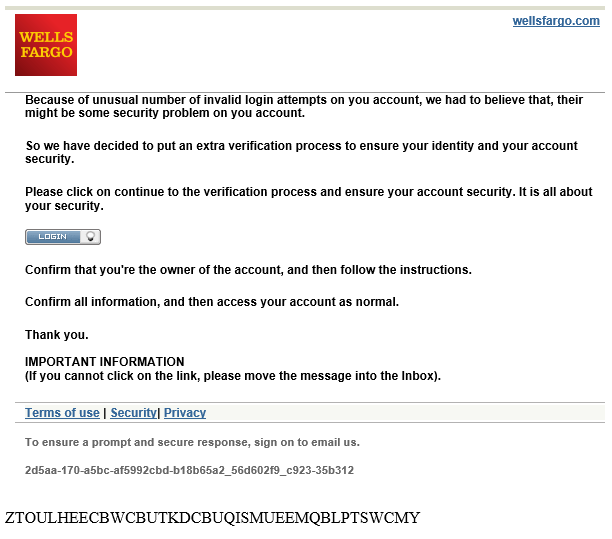
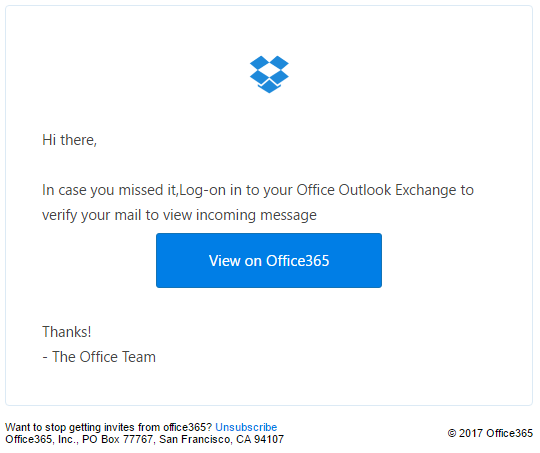
Phishing emails may contain images that seem like a written message in order for the victim to click and download something malicious.
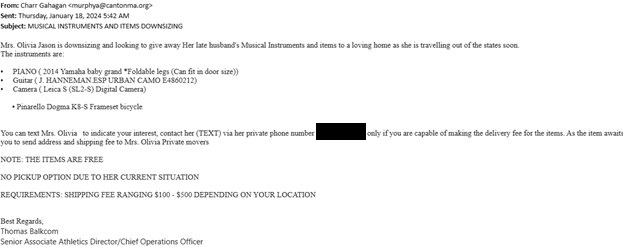
Phishing emails may contain QR Codes, making it easy for students to scan and be a victim!
Phishing Email Dos and Don’ts
- DO call a company that you received a suspicious email from to see if it is legitimate, but DO NOT use the phone number contained in the email. Check a recent statement from the company to get a legitimate phone number.
- DO look for a digital signature/certificate as another level of assurance that senders are legitimate. Digitally signed messages will have a special image/icon at the subject.
- DO adjust your spam filters to protect against unwanted spam.
- DO use common sense. If you have any doubts, DON’T respond. Contact the ITS Help Desk if you have any questions.
- DON’T open email that you have any suspicion may not be legitimate. If it is legitimate and the individual trying to contact you really needs to, they will try other means.
- DON’T ever send credit card or other sensitive information via email.
- DON’T click the link. Instead, phone the company or conduct an Internet search for the company’s true web address.
- DON’T open email or attachments from unknown sources. Many viruses arrive as executable files that are harmless until you start running them.
What should I do?
Phishing emails are a scary thing to receive. Here are a few things you could do:
If your email account is provided by Google or Microsoft, their clients have a reporting feature. as shown below:

If using Outlook App:

Cyber Security & Infrastructure Security Agency helps individuals becoming victims of phishing scams by gathered phishing email messages and website addresses by simply forwarding them the emaiil to them.
Forward to: [email protected]
You can mark the email sender as a scam or as a junk, your email provider will block off the sender address and move it to the junk list.

If the email you recieved is a scam or a phishing email. Simply delete the email after you report the email.
Do not panic, we recommend all of the following action to limit any risks:
- Change password
- Run AnitVirus scanner
- Use two-factor authentication
- Back-up your files
- Check for transactions